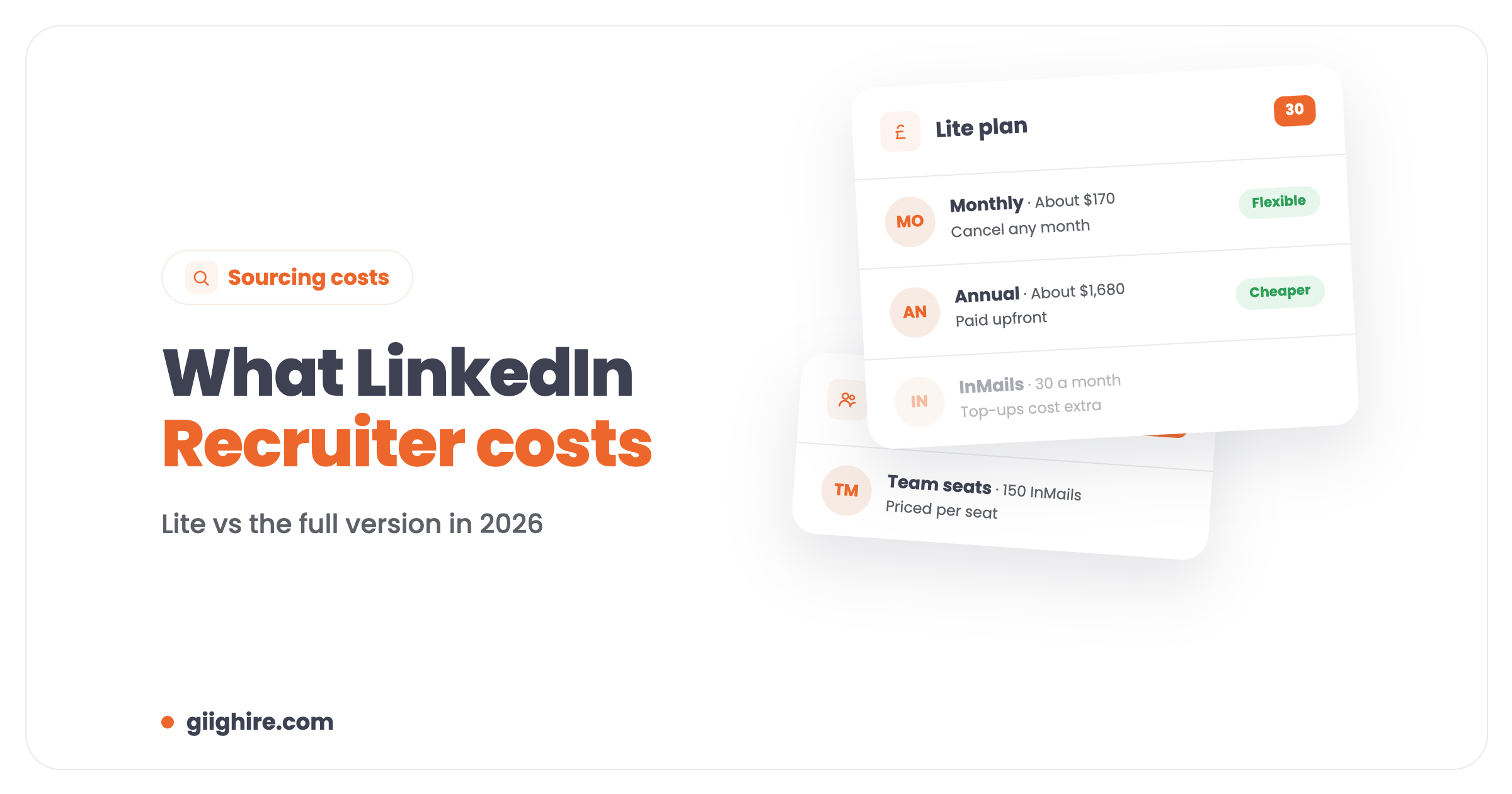
LinkedIn Recruiter Lite costs about $170 a month on monthly billing, or about $1,680 a year if you pay annually. LinkedIn Recruiter (the full Corporate version) and Recruiter Professional Services aren’t priced publicly; you get a quote, and buyers report Corporate seats costing roughly $8,000 to $12,000 per seat per year. Prices vary by country and change, so check LinkedIn before you buy.
For most solo recruiters and small agencies, Recruiter Lite is the realistic option. The full Recruiter is built for bigger teams. Here’s what you get for the money and whether you need it at all.
LinkedIn Recruiter pricing at a glance
There are three main tiers, and only the cheapest has a public price.
Recruiter Lite
Recruiter Professional Services
Recruiter Corporate
Price
About $170/month, or about $1,680/year
Quote only
Quote only (buyers report roughly $8,000 to $12,000 per seat per year)
InMails per month
30
100
150 per seat
Built for
Solo recruiters, small teams, hiring managers
Agencies
Large in-house and agency teams
Seats
One per account
Multiple
Multiple, with team collaboration
These figures come from LinkedIn’s public Lite price and third-party buyer data checked in October 2026. Treat them as a guide, not a quote, and expect VAT on top in the UK.
What you get with Recruiter Lite
Recruiter Lite gives you better search filters, 30 InMails a month and a simple way to save and track candidates.
Advanced search filters to narrow candidates by skills, experience, location and more.
30 InMails a month to message people you’re not connected to.
Projects to save candidates for each role, with notes and reminders.
Basic reports on your InMails and job posts.
The limits: one seat per account, fewer InMails than the full version, and no team features. For a solo recruiter, that’s usually fine.
What the full LinkedIn Recruiter adds
The full Recruiter adds more InMails, more search power and team features, which is why it’s priced for bigger teams.
150 InMails per seat each month.
More powerful search, including Boolean, more filters and AI suggestions of similar profiles.
Bulk messaging and saved templates.
Team features: shared projects, notes and pipelines across recruiters.
More reporting on usage and pipeline.
Filtering for people who’ve said they’re open to work.
The hidden costs
The subscription is only part of the bill. Watch out for extra InMails, job posts and integrations.
Extra InMails: if you run out, you can buy more.
Job posts: promoted job posts are usually charged separately.
Integrations: connecting LinkedIn to other software can cost extra, depending on the tool.
Annual commitment: the cheaper rate usually means paying for a year upfront.
Recruiter Lite vs Sales Navigator
Recruiter Lite is built for finding candidates. Sales Navigator is built for finding customers.
If you’re a recruiter doing your own business development, Sales Navigator can be useful for finding hiring managers and tracking target companies. For finding candidates, Recruiter Lite is the better fit. Plenty of solo recruiters start with neither, and add one once they know they’ll use it every day.
Do you need LinkedIn Recruiter at all?
Not always. A lot of small agencies get most of the value from a free or Premium LinkedIn account, a well-kept database and a couple of job boards.
Before you pay, ask yourself:
Am I searching LinkedIn every day? If not, it’s an expensive habit.
Is my own database working for me? Your existing candidates are free to contact. A tagged, searchable recruitment CRM is often the best sourcing tool you’ve got.
Would 30 InMails a month actually change my numbers?
Whatever you use, don’t leave the candidates you find sitting in LinkedIn. Get them into your own CRM, where you own the data and can find them again. Giig’s LinkedIn Chrome extension on Giig Plus (£45 per user/month +VAT, no contract) pulls candidates, contacts and companies straight in.
LinkedIn Recruiter alternatives
The main alternatives are your own database, CV databases on job boards, Google X-ray searches and AI search over your own CRM.
Your own database: search it first for every role.
Job board CV databases: often better value for specific niches.
X-ray search: use Google to search LinkedIn profiles, for example: site:linkedin.com/in “quantity surveyor” (Manchester OR Leeds)
About $170 a month on monthly billing, or about $1,680 a year (around $140 a month) on annual billing, based on LinkedIn’s public pricing in October 2026. Prices vary by country, and UK buyers will pay VAT on top, so check LinkedIn’s own page before you buy.
How much does the full LinkedIn Recruiter cost?
LinkedIn doesn’t publish a price for Recruiter Corporate or Recruiter Professional Services. You get a quote from their sales team. Buyer reports put Corporate at roughly $8,000 to $12,000 per seat per year, depending on the deal and the number of seats.
What’s the difference between LinkedIn Recruiter and Recruiter Lite?
Recruiter Lite is a single-seat plan with 30 InMails a month and decent search filters. The full Recruiter adds 150 InMails per seat, more powerful search, bulk messaging, team collaboration and more reporting. Lite suits solo recruiters; the full version suits larger teams.
Is LinkedIn Recruiter Lite worth it for a freelance recruiter?
It can be, if you search LinkedIn every day and InMails help you reach candidates you can’t find elsewhere. If you mostly work from your own network and database, a free or Premium account plus a good CRM may be enough. Try it monthly before committing to a year.
How many InMails do you get with LinkedIn Recruiter?
Recruiter Lite includes 30 InMails a month. Recruiter Professional Services includes 100, and Recruiter Corporate includes 150 per seat. You can buy extra InMails if you run out.
What’s a cheaper alternative to LinkedIn Recruiter?
Your own candidate database, searched properly, is the cheapest. Job board CV databases, Google X-ray searches and AI search over your CRM also work well. Giig’s CRM is free for one user, so you can build a searchable database before paying for LinkedIn.
Final thoughts
LinkedIn Recruiter Lite is the sensible choice for most solo recruiters and small agencies, and the full Recruiter is priced for bigger teams. Before you pay for either, make sure you’re getting the most out of the candidates you already have, and save everyone you find into your own database.
This website uses cookies so that we can provide you with the best user experience possible. Cookie information is stored in your browser and performs functions such as recognising you when you return to our website and helping our team to understand which sections of the website you find most interesting and useful.
Strictly Necessary Cookies
Strictly Necessary Cookie should be enabled at all times so that we can save your preferences for cookie settings.
If you disable this cookie, we will not be able to save your preferences. This means that every time you visit this website you will need to enable or disable cookies again.