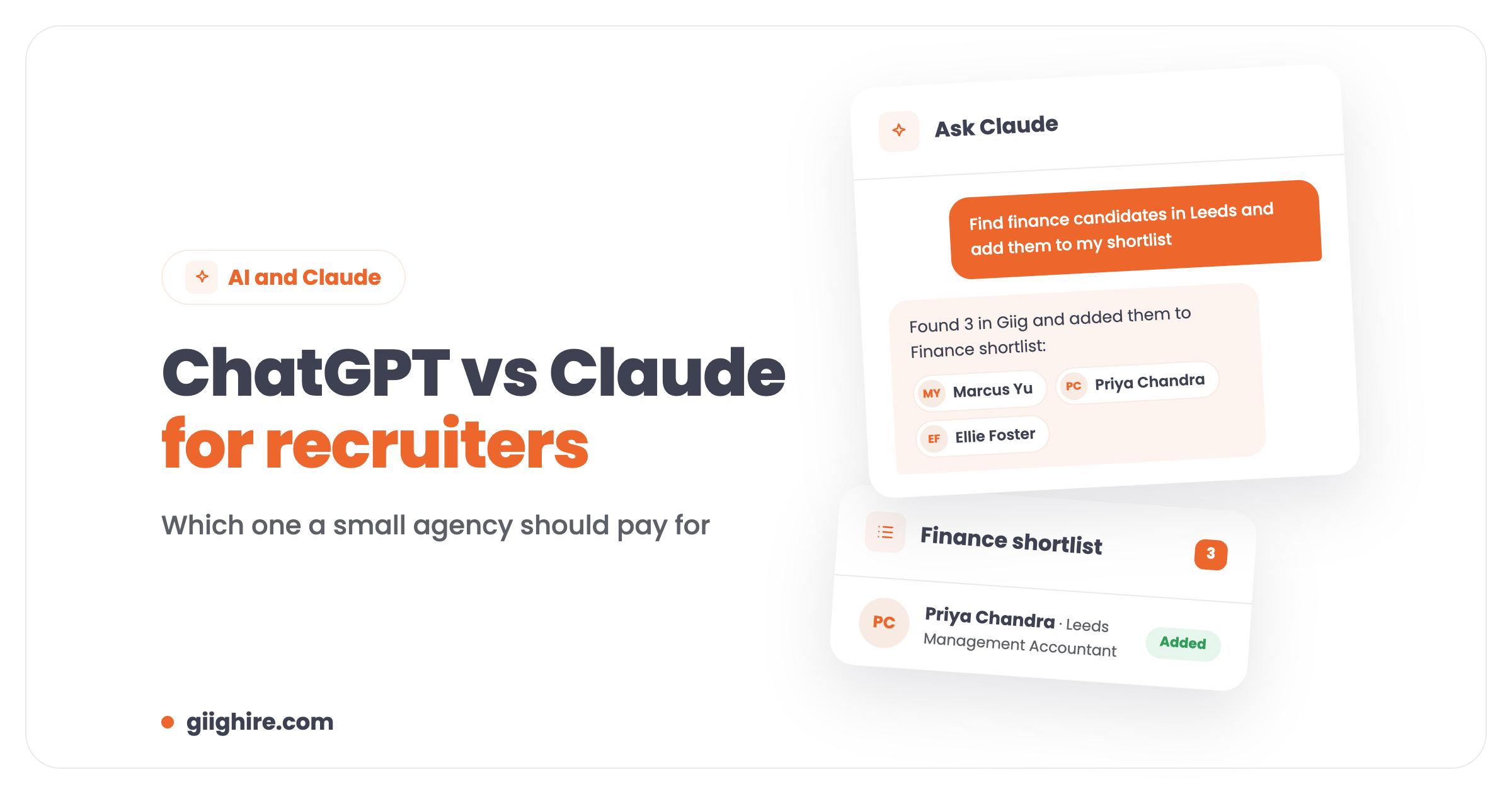
Both ChatGPT and Claude will write a decent job ad, summarise a CV and draft a BD email. The real differences for a small agency are price per seat, what happens to candidate data you paste in, and whether the AI can reach your CRM. Both can connect to other tools through MCP, but Giig’s connection is Claude only for now. So if you’re on Giig, Claude is the one that can search your candidates and update records, which is why I’d start most Giig users on Claude.
ChatGPT (made by OpenAI) and Claude (made by Anthropic) are general AI assistants: you type a request in plain English and they write, summarise, analyse or search for you.
I spent over five years working in two recruitment agencies before Giig, so this is written from the desk, not from an HR department. Most “Claude vs ChatGPT” posts are aimed at in-house HR teams or job seekers polishing their CVs. This one is for owners and recruiters at agencies of 1 to 20 people.
Is Claude or ChatGPT better for recruiting?
For writing, they’re close. For agency work, it comes down to which one works with your CRM. Both write well, both read long documents, and both will happily turn a messy spec into a clean job ad. Where they split is the stuff around the writing: data settings, team admin, and connecting to the tools you already use.
Here’s the quick version:
ChatGPT
Claude
Free plan
Yes
Yes
Personal paid plan
Go £7 a month, Plus £20 a month, Pro from £89 a month
Pro, £18 a month billed monthly (£15 billed yearly)
Team plan
Business: £18 per user a month billed monthly, £15 billed yearly, 2 to 200 users
Team: £22.50 per seat a month billed monthly, £18 billed yearly, 2 to 150 seats
Trains on your chats?
Personal plans: on unless you turn it off. Business: no, by default
Personal plans: your choice in privacy settings. Team: no, by default
Connectors
Google Workspace, Microsoft 365, Slack and more; custom MCP servers as plugins (depends on your plan and admin settings)
UK prices from each company’s own pricing page, checked on 23 November 2026.
Which AI is best for writing job ads?
Either will do a good job ad if you give it a proper brief. The quality of the ad comes from what you feed in: the client’s spec, the salary, the hybrid pattern, and the two or three things that actually sell the job. Paste a lazy one-liner into either tool and you’ll get the same beige ad back from both.
A brief that works in both:
Paste the client’s spec and your call notes.
Say who you’re writing for (“a mid-level accountant who’s happy where they are”).
Give the salary and location honestly.
Ask for a short ad, plain English, no “rockstar” or “fast-paced environment”.
Ask for three subject lines you can use in a LinkedIn InMail.
Where they differ is style. Claude tends to write in a calmer, plainer voice. ChatGPT is a bit more upbeat out of the box. Both take a “write like this” example well, so paste one of your best old ads in and tell it to match.
Can ChatGPT or Claude summarise a CV?
Yes, both can read a CV and pull out the key points in seconds. Upload the PDF or Word file, then ask for what you actually need: notice period, salary expectations if listed, the last three roles, and any gaps or red flags to ask about on the call.
The catch is data. A CV is personal data, so before your team starts pasting CVs into a personal AI account, read the GDPR section below.
If you’re doing this a lot, a CV parser inside your CRM is the tidier way. Giig’s CV parsing tool pulls the details into a candidate record for you, so nothing lives in a chat history. You can try it on the Free Forever plan with 10 CV parses a month. Giig Starter gives you 50, and Giig Plus gives you 5,000.
Which is better for business development emails?
Both write a solid first draft. The better email comes from the better context. Give it the company, the role they’re hiring for, why you’re relevant and one real reason to talk, and either tool will give you something you’d send after a light edit.
Either gets better when it can see your CRM. If it can read your contacts, your last notes on that client and the candidates you’ve placed there before, the email stops being generic. That’s the next section.
Can ChatGPT or Claude read my recruitment CRM?
Both can, if your CRM offers an MCP connection that supports them. Giig’s is Claude only for now. MCP (Model Context Protocol) is the standard that lets an AI assistant log into another tool and work with its data, with permissions you control. Claude and ChatGPT both support it, but each CRM decides which assistants its connection works with.
With Giig on the Giig AI plan, you add Giig as a custom connector in Claude, and Claude can then search your candidates, read notes, and add candidates to a shortlist, all in plain English. You decide per role whether people get read and write access, read only, or nothing, for candidates, jobs, contacts and companies, notes and tasks. The full setup is on the Claude MCP page.
So instead of copying a CV into a chat, you ask: “Find me three finance candidates in Leeds we’ve spoken to this year and draft a check-in message for each.” It works from your live data, not a pasted copy.
ChatGPT connects to Google Workspace, Microsoft 365, Slack and others, which is handy for email and calendar, and you can add custom MCP servers as plugins, with read and write actions. What you can connect depends on your plan and, on Business, what your admin allows. So if your CRM’s MCP supports ChatGPT, it can work with your data too. Giig’s doesn’t yet, so on Giig it’s Claude.
Is it GDPR-safe to paste CVs into ChatGPT or Claude?
It can be, but not on a personal account with default settings. Under UK GDPR you need to know where candidate data goes, why, and for how long. Pasting CVs into a personal chatbot that may use them to train future models is hard to defend.
What the settings actually say (checked 23 November 2026):
Claude Free, Pro and Max: whether your chats are used for training is your choice in Privacy Settings. If you allow it, Anthropic keeps that data for up to five years. If you don’t, it’s 30 days.
Claude Team and Enterprise: no training on your content by default.
ChatGPT Free, Plus and Pro: your chats can be used to train models by default. Turn it off in Settings > Data Controls by switching off “Improve the model for everyone”.
ChatGPT Business and Enterprise: no training on your business data by default.
For an agency, that points to the team plans on either side, an update to your privacy notice that mentions AI tools, and a rule for the team: no CVs in personal accounts. Better still, keep candidate data in your CRM and let the AI work on it there with permissions, rather than copying it into chats. This isn’t legal advice, so check with whoever handles your data protection.
How much do ChatGPT and Claude cost for a small agency?
For a team, ChatGPT Business is £18 per user a month billed monthly (£15 billed yearly), and Claude Team is £22.50 a seat billed monthly (£18 billed yearly). Claude Team is for 2 to 150 seats and ChatGPT Business for 2 to 200, so for a three-person agency ChatGPT works out £13.50 a month cheaper on monthly billing.
Both also sell bigger “premium” seats for heavy users: £90 a month on ChatGPT (£75 billed yearly) and £113 a month on Claude (£90 billed yearly). Most recruiters won’t need them.
If you’re a solo recruiter, the personal plans are cheaper but come with the data trade-offs above. ChatGPT Plus is £20 a month and Claude Pro is £18 a month billed monthly (£15 billed yearly). Turn the training setting off either way.
To connect Claude to Giig you need Giig AI, which is £59 per user per month plus VAT, monthly, no contract, cancel anytime. That covers your CRM, not Claude itself, so budget for both. All Giig plans are on the pricing page.
So which should a small agency use?
Pick the one your CRM works with. On Giig, that’s Claude. Pick ChatGPT if you mainly want a writing assistant plus images. Both are good, and the gap on pure writing is small enough that your prompts matter more than the brand.
My rough rule:
Solo recruiter, mostly writing: either personal plan, training switched off, no CVs pasted in.
Two or more people, real candidate data: a team plan, not personal accounts.
You want AI to search candidates and update records for you: whichever your CRM’s MCP supports. On Giig, that’s Claude.
You make a lot of social graphics: ChatGPT, because Claude doesn’t make images.
For writing, they’re very close. The bigger question is which one your CRM works with. Both support MCP connections, but Giig’s is Claude only, so on Giig Claude can work from your live candidate and client data instead of whatever you paste in. ChatGPT is a good choice if you mainly want help writing and also want it to make images for social posts.
Which AI is best for writing job ads?
Both ChatGPT and Claude write good job ads when you give them the client’s spec, salary, location and the real selling points. Claude’s default tone is plainer, ChatGPT’s a little more upbeat. Paste in one of your best past ads and ask it to match the style, and you’ll get a usable draft from either in under a minute.
Can ChatGPT or Claude read my CRM?
Both can, if your CRM offers an MCP connection that supports them. Giig’s MCP is Claude only for now: on the Giig AI plan, Claude can search candidates, read notes and add people to shortlists, with read and write permissions set per role. ChatGPT can add custom MCP servers as plugins, but not Giig’s yet.
Is it GDPR-safe to paste CVs into ChatGPT or Claude?
Not on a personal account with default settings. CVs are personal data, so you need to control where they go and how long they’re kept. Team plans on both (Claude Team, ChatGPT Business) don’t train on your data by default. Mention AI tools in your privacy notice and get advice from whoever handles your data protection.
How much does Claude cost for a recruitment team?
Claude Team costs £22.50 per seat a month billed monthly, or £18 a seat billed yearly, for teams of 2 to 150. Premium seats with more usage are £113 a month billed monthly. If you want Claude connected to Giig, you also need Giig AI at £59 per user per month plus VAT, with no contract.
Does ChatGPT or Claude make images?
ChatGPT makes images, Claude doesn’t. If you build a lot of social graphics, job ad visuals or LinkedIn banners, that’s a point for ChatGPT. Many agencies use a separate design tool for images anyway, in which case it shouldn’t decide which AI assistant you pay for.
Can I use both ChatGPT and Claude?
Yes, and plenty of recruiters do. A common setup is Claude connected to the CRM for candidate search, notes and shortlists, and ChatGPT for images and quick one-off writing. Just keep the same data rule for both: candidate data stays in team accounts or in your CRM, never in personal chats.
Want Claude working on your candidates instead of copy and paste? Start for free. No credit card needed.
This website uses cookies so that we can provide you with the best user experience possible. Cookie information is stored in your browser and performs functions such as recognising you when you return to our website and helping our team to understand which sections of the website you find most interesting and useful.
Strictly Necessary Cookies
Strictly Necessary Cookie should be enabled at all times so that we can save your preferences for cookie settings.
If you disable this cookie, we will not be able to save your preferences. This means that every time you visit this website you will need to enable or disable cookies again.