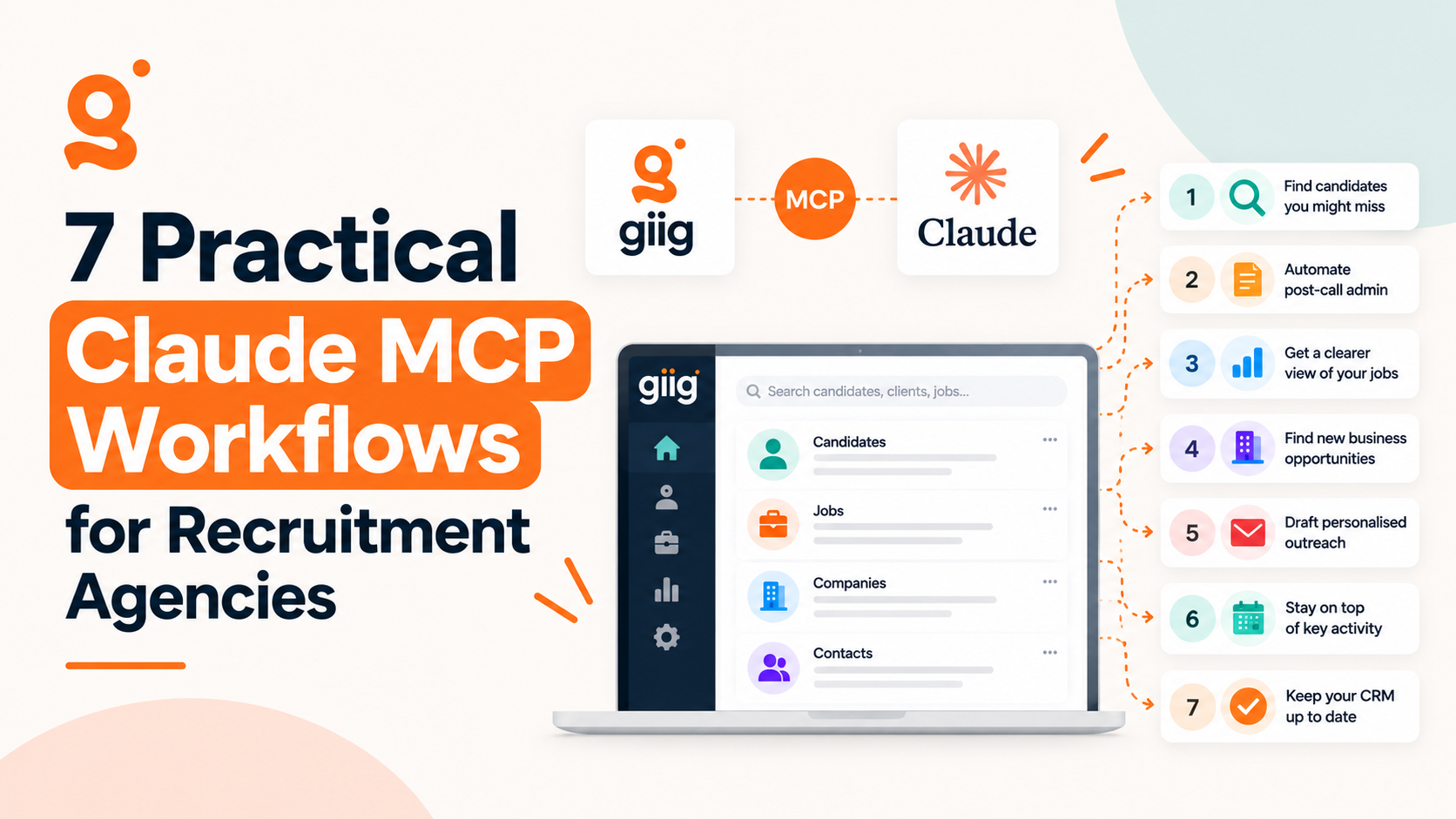
Your recruitment CRM is about to become a lot more useful. Most recruiters don’t need another tool to log into. They need to get more out of the tools they already have. That’s where Claude MCP workflows for recruitment agencies come in.
Think about how much of your day goes on searching for candidates, updating records after calls, checking where jobs are up to and remembering which clients you need to contact. Your recruitment CRM holds most of that information. The challenge is finding it, keeping it up to date and turning it into something useful.
Connecting Claude to your CRM changes that. Instead of clicking through records and running searches yourself, you ask questions in plain English. Find candidates for a new job. Spot clients you haven’t spoken to in months. Get a summary of your live vacancies.
With Giig Hire’s Claude MCP integration, recruiters can connect Claude to their CRM and work with their candidates, contacts, companies and jobs through natural-language requests.
The interesting part isn’t getting AI to write your emails. It’s what happens when AI becomes part of how you run your desk. Here are seven practical ways to start.
How does Claude MCP work in recruitment?
MCP stands for Model Context Protocol. It lets AI assistants such as Claude connect to external tools and data sources.
For recruiters, that means Claude can do more than answer general questions. With the right connections and permissions, it can read information in your recruitment software and carry out supported tasks, like logging a note or creating a task.
New to the technology? Our guide, What Is MCP? Model Context Protocol Explained for Recruiters, covers it in more detail.
1. Find candidates you might otherwise overlook
A new job comes in. Before advertising it, you want to know whether the right person is already in your database.
The problem is that a database built over several years holds thousands of profiles, old notes and people you haven’t spoken to in a long time. With Claude connected to Giig Hire, you can ask:
“Search Giig Hire for candidates with financial services or banking experience based in Manchester, Salford or Stockport, excluding contractors. Then check their notes for anyone who’s said they’re open to a move. Summarise the strongest matches and explain why they fit.”
Claude runs the search across your candidate records, checks the notes and gives you a shortlist with its reasoning.
You can also look for people whose notes mention a skill that isn’t in their job title, or candidates you placed a few years ago who may be ready for their next step. It’s a way to get value from the database you’ve already built, rather than treating every vacancy as a fresh search.
2. Spend less time on post-call admin
Speaking to candidates and clients is the job. Updating the CRM afterwards is rarely the part anyone enjoys.
After a candidate call you need to record salary expectations, notice period, availability, location preferences and the roles they’re interested in. Across a busy desk, that adds up fast.
Capture your calls with a meeting note-taker such as Granola or Wispr Flow. Then, instead of prompting Claude after every call, turn the process into a skill and schedule it to run at the end of each day:
“Every weekday at 5pm, pull today’s recorded calls and match each person to their Giig Hire record. Log a structured note with salary expectations, notice period, availability and preferred roles, and flag anything missing. Then draft a follow-up email for each call and save it to my email drafts.”
By the time you’ve finished your last call, the notes are in Giig Hire and your follow-ups are waiting in your drafts, ready to review and send later that day. It works just as well for client briefings, logging hiring requirements, interview plans and agreed next steps against the right contact and company.
3. Get a clearer picture of your live jobs
When you’re working several vacancies at once, it’s easy to lose sight of the bigger picture. One candidate is waiting for feedback. Another job hasn’t moved in two weeks.
Instead of checking every record, ask Claude:
“Go through my live jobs in Giig Hire. Show me how many applicants are at each pipeline stage, which jobs have nobody past the first stage and which candidates have been sitting at interview stage the longest.”
The useful part is the follow-up. If one vacancy looks quiet, ask Claude to pull up its applicants and notes and decide what needs doing next.
4. Find business development opportunities hiding in your CRM
How many potential clients are already sitting in your CRM that you haven’t spoken to recently? Companies you’ve placed with before. Contacts who were interested once. Clients who’ve gone quiet.
Try asking Claude:
“Find the companies in Giig Hire where we’ve placed candidates before. For each one, show me the main contact, the last note we logged and a suggested reason to get back in touch.”
That gives you a focused list for a business development session. You can also ask Claude to summarise your history with a company before a call, or draft an email that references a previous placement.
Connect a contact enrichment tool such as Lusha or Apollo and you can go a step further, finding new opportunities as well as revisiting old ones. Set it up as a scheduled task:
“Every day at 8am, search for companies showing signs of hiring in my sectors, such as new job posts, headcount growth or funding news. Find the best contact at each company, enrich their details using Lusha, add them to Giig Hire and put them on a new prospect list for today.”
That way you can sign in each morning and go straight into business development calls.
5. Write better job adverts and candidate summaries
Ask an AI tool to write an account manager advert and you’ll get something that sounds like every other account manager advert online. The quality improves when it works from the real vacancy.
“Using the details of this job in Giig Hire, draft an advert that explains the opportunity clearly, highlights the essential requirements and appeals to the right candidates. Don’t invent benefits or requirements that aren’t in the job record.”
The same approach works for candidate summaries, client introduction emails and interview prep. The benefit is that you stop copying information between applications and re-explaining the same context.
6. Start the day with a plan
The hard part usually isn’t knowing what needs doing. It’s deciding what comes first.
“Look at my open tasks, my live jobs and today’s applicant activity in Giig Hire. Give me a prioritised list of what to focus on today and why each item matters.”
On a Friday afternoon, flip it round: ask for a summary of the week’s activity and the actions to carry into next week. Instead of spending the first hour of your morning checking different screens, you start with a plan.
7. Keep your database in better shape
Recruitment databases rarely stay tidy. Duplicates creep in, email addresses go missing and contacts get added without the right tags.
“Look through my candidate records in Giig Hire and flag likely duplicates, records with no email address and profiles with no tags. Give me a list of suggested fixes before changing anything.”
A clean database isn’t just about tidiness. It makes your searches more accurate, helps you trust your data and gives Claude a better foundation to work from.
Keep a human in the loop
Claude MCP workflows are great and fast, but it works from what’s in your systems. A few simple habits keep it accurate.
- Use your judgement on shortlists. Claude can surface potential matches. You know the context behind a candidate’s experience and whether a move makes sense.
- Capture what was said, not what was guessed. Check salary, availability and client requirements before they’re saved.
- Review before you send. Read any email, advert or outreach before it goes to a candidate or client, and make sure it sounds like you.
- Approve bulk changes first. Two people can share a name without being duplicates. Ask for suggested fixes, then apply the ones you agree with.
- Respect data protection. Any outreach should follow UK GDPR and the marketing rules that apply to you.
And remember: if nobody logged the client’s feedback, Claude can’t know it. Good records in means useful answers out.
The bigger opportunity: a connected AI recruitment tech stack
Connecting Claude to your CRM is just the start. Think about the software it takes to run an agency: CRM, phone system, meeting notes, contact research, outreach and calendar. Each does its job, but the information you need is spread across all of them.
Now imagine bringing more of that together. To maximise your Claude MCP workflows, your stack could include:
- Giig Hire for your candidate, contact, company and job data.
- Claude as the AI assistant that works across your connected tools.
- Ringover for client and candidate calls.
- Granola or Wispr Flow for capturing meeting notes.
- Lusha, Apollo, Clay or ZoomInfo for contact and company enrichment.
- Lemlist and your calendar for outreach and follow-ups.
Not every tool here connects directly to every other one yet, so start with the integrations you already have.
The direction is what matters. Your CRM holds the data, meeting tools capture conversations, research tools add context and Claude pulls it together into next steps. After a client meeting, that could mean CRM updates, a follow-up draft and your next actions, all ready for you to check.
You don’t need to force your business to fit one platform. You can build a setup around the way your agency works.
How to get started with Claude MCP for recruitment
To start setting up Claude MCP workflows, it takes 5 minutes. You’ll need a Giig Hire account on the Giig AI package and a Claude account.
- Add the connector. In Claude, open your connector settings and add Giig Hire.
- Sign in and approve access. Log in with your Giig Hire details and choose what Claude can access.
- Try your first prompt. Start with something simple, like “Show me my live jobs in Giig Hire and how many applicants each one has.”
Why we built Giig Hire for this future
We built Giig Hire because smaller recruitment agencies need good technology too. You shouldn’t need an enterprise budget, a big team or a complicated software stack to compete with bigger players.
Your CRM should be the foundation of your business, not another system you spend all day updating. With Giig Hire and our Claude MCP integration, you can connect your recruitment data to AI, add the tools that suit your workflow and build around your own processes.
We don’t think every agency needs the same software, or that one platform has to do everything. Smaller agencies should be free to choose the tools that work for them and make those tools work together.
Less time managing systems. More time building relationships, winning clients and making placements.
Claude MCP workflows: further reading