If you’ve ever looked at a recruitment CRM and wondered whether you should use Custom Fields vs Custom Tagging, you’re not alone.
It’s one of the most common questions recruiters ask when setting up a new ATS or CRM. At first glance, they seem to solve the same problem-adding extra information to candidates, contacts, companies or jobs.
In reality, they serve two completely different purposes.
Understanding when to use Custom Fields, when to useCustom Tags, and when to combine both can make your database significantly more organised, easier to search, and far more valuable as your agency grows.
In this guide, we’ll explain the differences, show practical recruitment examples, and help you decide which approach is right for your desk.
What Are Custom Fields?
Custom Fields allow you to add structured information to records inside your recruitment CRM.
Instead of forcing every recruiter into the same predefined database, Custom Fields let you build your CRM around the information your agency actually tracks.
Examples include:
Notice Period
Visa Status
Current Day Rate
Security Clearance
Preferred Working Pattern
Driving Licence Category
Compliance Status
Source of Hire
Unlike notes, each field has a defined format.
For example:
Notice Period
Dropdown
Immediate
1 Week
2 Weeks
1 Month
3 Months
Or:
Visa Status
Dropdown
UK Citizen
Skilled Worker Visa
Graduate Visa
Sponsorship Required
Because the information is structured, it becomes fully searchable throughout your CRM.
Instead of searching through hundreds of candidate notes, you can simply filter:
Rather than storing structured information, Tags are designed to categorise records using keywords.
Recruiters often use Tags for:
Programming Languages
Industries
Job Functions
Skills
Markets
Candidate Interests
Certifications
For example, one candidate might have the following tags:
Java
AWS
DevOps
Kubernetes
Contract
FinTech
Another candidate could have:
NHS
Healthcare
Temporary
Nursing
Unlike Custom Fields, candidates can usually have dozens of tags attached to a single record.
Tags are ideal when information is descriptive rather than fixed.
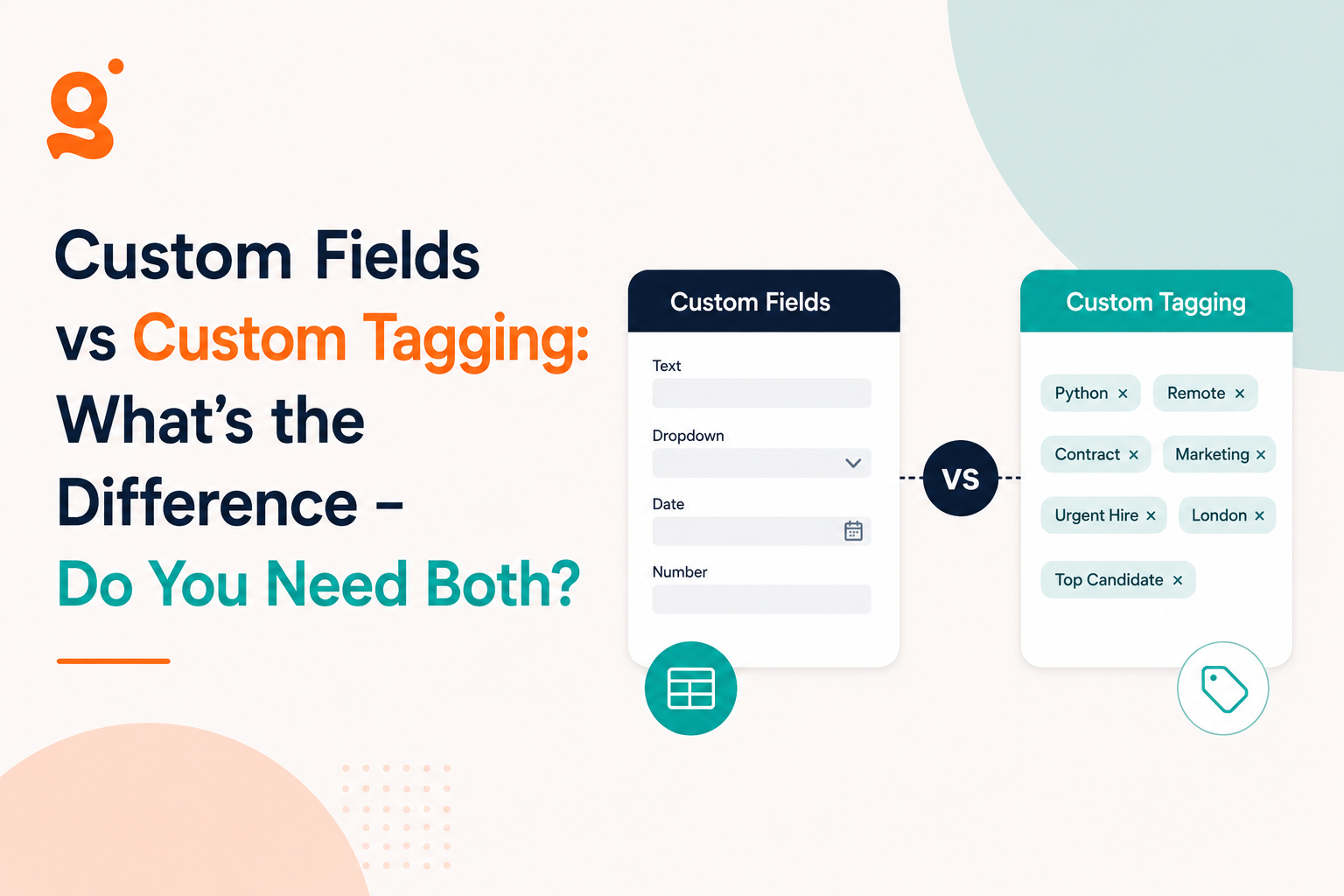
Custom Fields vs Custom Tagging
Although both improve searchability, they solve different problems.
Custom Fields
Custom Tags
Structured data
Flexible categorisation
Usually one value per field
Multiple values
Great for reporting
Great for searching by skills
Consistent across every record
Recruiter-defined keywords
Ideal for compliance and operational data
Ideal for expertise and classifications
A simple way to think about it is this:
Fields answer questions.
Tags describe people.
Recruitment Examples
Let’s look at some real recruitment scenarios.
Example 1: Notice Period
A candidate can only have one current notice period.
That makes it perfect for a Custom Field.
Searching becomes effortless.
Show me everyone with:
Notice Period = Immediate
or
Notice Period = Less than 1 Month
Trying to achieve this with Tags quickly becomes messy.
Example 2: Skills
A software engineer may know:
Python
SQL
Azure
Terraform
Docker
This information changes regularly and candidates may have dozens of skills.
Tags are perfect here because recruiters often search combinations of keywords.
Example 3: Compliance
Healthcare agencies might track:
DBS Status
Right to Work
NMC Registration
Manual Handling Training
Each should be a Custom Field because they’re operational pieces of information that often drive recruitment decisions.
Example 4: Markets
Perhaps a recruiter works across:
Construction
Civil Engineering
Rail
Utilities
These are descriptive categories.
Tags are the better choice.
Why Notes Aren’t Enough
Your database technically contains the information, but it’s almost impossible to search accurately. This is one of the fundamental differences between structured and unstructured data: structured information follows a predefined format, making it far easier to search, organise and analyse.
One of the biggest mistakes agencies make is storing everything inside the Notes section.
Imagine writing:
Candidate has SC Clearance, requires sponsorship in two years, prefers remote working and is available in four weeks.
Now multiply that by 15,000 candidates.
Your database technically contains the information—but it’s almost impossible to search accurately.
Now imagine storing the same information as searchable Custom Fields.
Field
Value
Security Clearance
SC
Visa Status
Skilled Worker
Working Preference
Remote
Notice Period
4 Weeks
Suddenly your recruiters can instantly filter thousands of candidates in seconds.
That’s the difference between storing information and actually using it.
Why Most Recruitment Agencies Need Both
This isn’t really a choice between Fields or Tags.
The best recruitment databases use both.
A technology recruiter could have:
Custom Fields
Current Salary
Target Salary
Notice Period
Visa Status
Right to Work
Security Clearance
Custom Tags
Java
Python
React
AWS
FinTech
Contract
Team Lead
Together they create a much richer candidate profile.
For example:
Find candidates who are:
Immediate Start
Cleared to SC level
Under £80,000 salary
Tagged with Python
Tagged with AWS
That’s a search that simply isn’t possible if everything lives in free-text notes.
Common Mistakes to Avoid
Using Tags for Everything
Creating tags like:
Immediate
Immediate Start
Available Now
ASAP
quickly leads to inconsistent data.
Structured information belongs in Custom Fields.
Storing Operational Data in Notes
If recruiters regularly need to search for a piece of information, it shouldn’t live inside Notes.
It should be its own searchable field.
Creating Too Many Fields
Not everything deserves its own Custom Field.
Ask yourself:
“Will recruiters actually search or report on this information?”
If the answer is no, it probably belongs in Tags, or simply doesn’t need storing at all.
Which Should You Choose?
As a simple rule:
Choose Custom Fields when the information:
Has a fixed value
Needs consistency
Is important for reporting
Is operational
Should be searchable using filters
Choose Custom Tags when the information:
Describes someone
Can have multiple values
Changes frequently
Helps recruiters perform keyword searches
For most recruitment agencies, the answer isn’t one or the other.
It’s both.
Final Thoughts
A recruitment CRM should work the way your recruiters work-not force your team into rigid templates.
To summarise Custom Fields vs Custom Tagging:
Custom Fields give structure to the information that matters most.
Custom Tags make searching by skills, sectors and expertise effortless.
When used together, they transform your database from a collection of records into a genuinely searchable recruitment asset.
If you’re evaluating recruitment software, don’t just ask whether it supports Custom Fields or Tags.
Ask how they work together.
The right combination will save your recruiters hours every week while making every search faster, more accurate and more valuable.
What’s the difference between Custom Fields and Custom Tags?
Custom Fields store structured information such as notice period, visa status or salary expectations. Custom Tags categorise records using keywords like skills, industries or technologies.
Can I use both Custom Fields and Tags together?
Yes. In fact, most recruitment agencies should. Custom Fields keep important operational data organised, while Tags make it easier to search for skills, markets and specialisms.
Are Custom Fields searchable?
Yes. In a modern recruitment CRM, Custom Fields should be fully searchable and filterable, allowing recruiters to quickly find candidates based on specific criteria.
Should I store information in Notes instead?
Only for information that doesn’t need to be searched. If recruiters regularly need to filter or report on data such as notice period, visa status or compliance, it should be stored as a searchable Custom Field rather than buried in Notes.
Ready to build a recruitment CRM around your workflow?
With Giig Hire, you can create unlimited searchable Custom Fields across Candidates, Contacts, Companies and Jobs, giving your team complete flexibility without the complexity of traditional recruitment software.
This website uses cookies so that we can provide you with the best user experience possible. Cookie information is stored in your browser and performs functions such as recognising you when you return to our website and helping our team to understand which sections of the website you find most interesting and useful.
Strictly Necessary Cookies
Strictly Necessary Cookie should be enabled at all times so that we can save your preferences for cookie settings.
If you disable this cookie, we will not be able to save your preferences. This means that every time you visit this website you will need to enable or disable cookies again.