Having a custom recruitment CRM is important, as every recruitment agency is different.
A healthcare recruiter doesn’t collect the same information as a technology recruiter.
An executive search firm doesn’t work the same way as a high-volume industrial agency.
A contractor recruiter isn’t interested in the same candidate data as someone recruiting permanent finance professionals.
Yet many recruitment CRMs still expect every agency to work in exactly the same way.
They come with rigid databases, predefined fields and workflows that force recruiters to adapt their process to the software.
The best recruitment CRM doesn’t ask you to change how you recruit.
It changes to fit your desk.
In this guide, we’ll explore why flexibility has become one of the most important features in modern recruitment software, and what you should look for when choosing a CRM that can grow alongside your agency.
Recruitment Isn’t One-Size-Fits-All
Think about the information different recruiters need every day.
A healthcare recruiter might need to know:
Right to Work
NMC Registration
Mandatory Training
Shift Preferences
A technology recruiter is far more interested in:
Programming Languages
Security Clearance
Cloud Experience
Remote Working Preference
Salary Expectations
A construction recruiter may need to track:
CSCS Card
CPCS Categories
Driving Licence
Site Locations
Plant Experience
An executive search consultant might focus on:
Board Experience
Equity Expectations
International Mobility
Languages
Leadership Assessments
Now imagine all four recruiters using exactly the same database.
Immediately, half the fields become irrelevant while the information they actually care about ends up hidden in notes, spreadsheets or separate systems.
That’s not a software problem.
It’s a flexibility problem.
The Hidden Cost of Rigid Recruitment Software
Many agencies don’t realise how much time they’re losing because their CRM doesn’t match their workflow.
It usually starts with small compromises.
Recruiters begin storing information in Notes because there isn’t a suitable field.
Then they create spreadsheets to track compliance.
Managers keep separate reports because the CRM can’t filter what they need.
Soon enough, the database becomes inconsistent.
Ask five recruiters to record a candidate’s notice period and you’ll probably receive five different answers.
Immediate
Available Now
ASAP
Four Weeks
One Month
Technically, the information exists.
Practically, it’s impossible to search consistently.
That’s when recruiters stop trusting the CRM and start relying on memory instead.
Your CRM Should Adapt to Your Business
Modern recruitment software should behave more like building blocks than a fixed template.
Instead of asking:
“How do we fit into this CRM?”
The question should be:
“How can this CRM fit around our process?”
That means giving agencies the ability to decide:
Which information matters
How it’s stored
How recruiters search it
How managers report on it
Every agency should be able to build a CRM that reflects the way they recruit—not the way the software vendor thinks they should.
The Building Blocks of a Flexible Recruitment CRM
A truly flexible recruitment CRM isn’t just about adding more features.
It’s about giving agencies control over the information that matters most.
Here are the features that make the biggest difference.
1. Searchable Custom Fields
This is where flexibility begins.
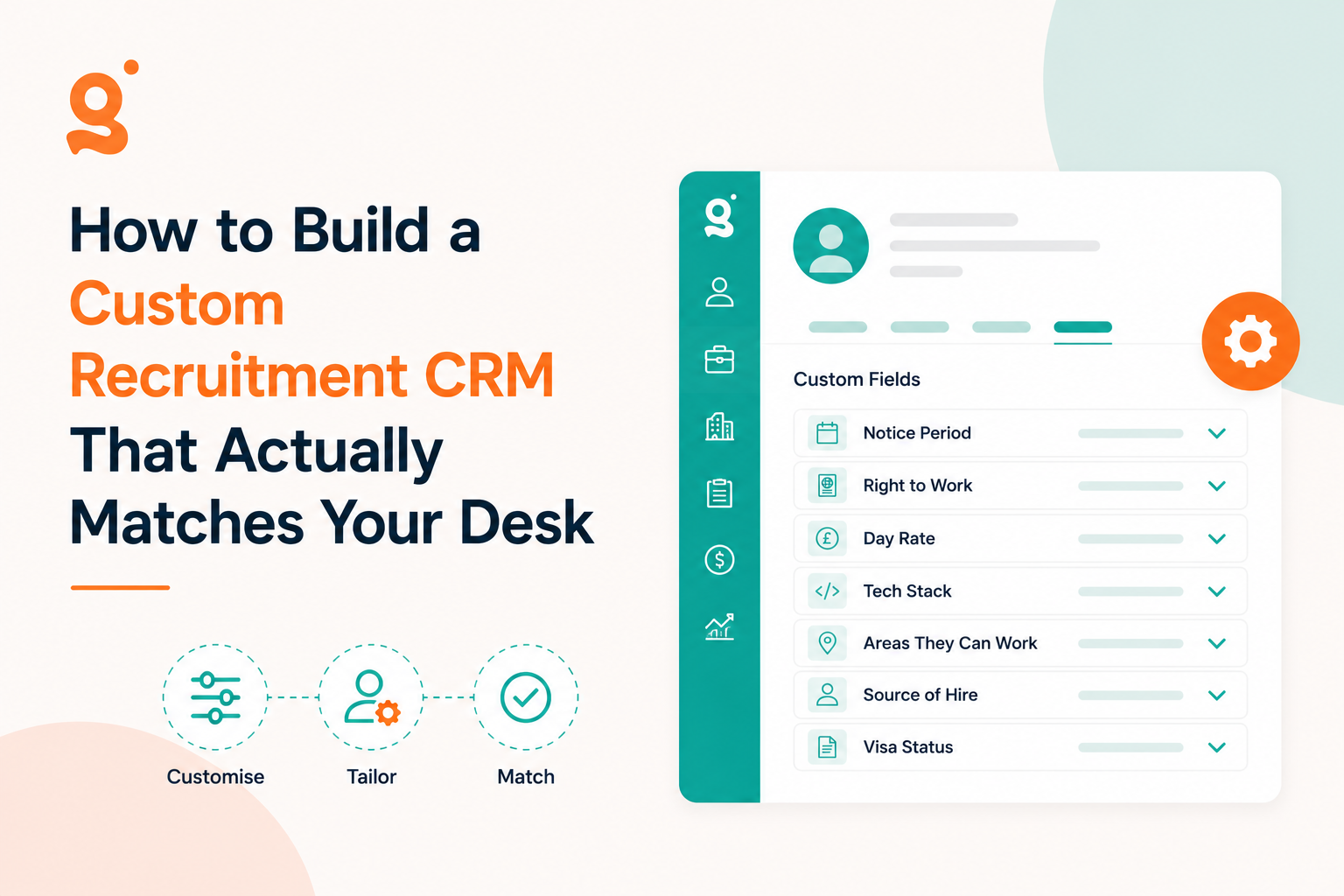
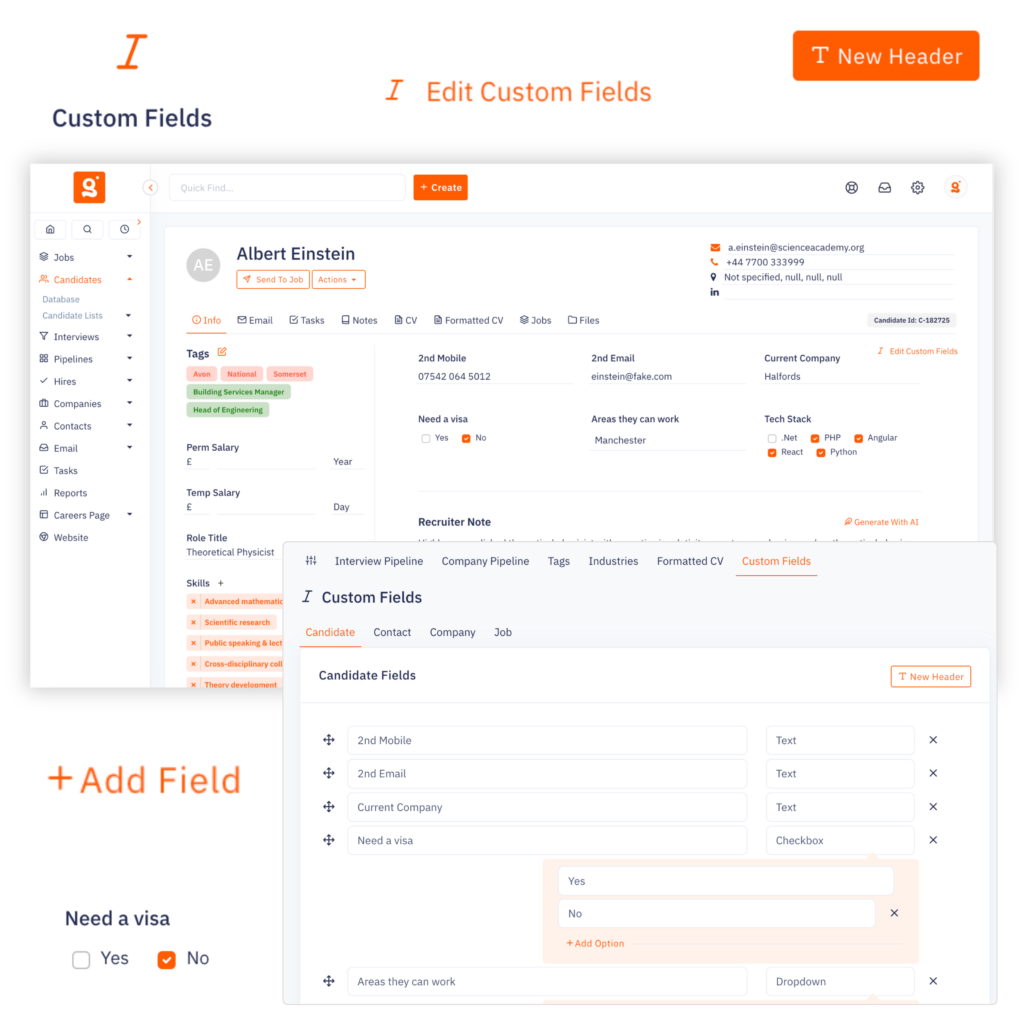
Custom Fields allow you to create structured information that matches your recruitment desk.
Examples include:
Technology Recruitment
Security Clearance
Preferred Cloud Platform
Contract Availability
Healthcare Recruitment
DBS Status
Right to Work
NMC Registration
Construction Recruitment
CSCS Category
CPCS
Driving Licence
Instead of burying this information inside notes, recruiters can search it instantly.
Imagine filtering candidates by:
Notice Period: 1 Month
Visa Status: Skilled Worker
Security Clearance: SC
Working Pattern: Hybrid
That’s the difference between storing information and actually using it.
2. Smart Tagging
Not every piece of information belongs in a structured field.
Skills, technologies and industries are better organised using Tags.
A software engineer might be tagged with:
Python
AWS
Docker
Kubernetes
FinTech
A recruiter can instantly search combinations without creating hundreds of unnecessary database fields.
When combined with Custom Fields, Tags create an incredibly powerful recruitment database.
The value of your database depends entirely on how quickly recruiters can find information.
A modern recruitment CRM should allow searches like:
Candidates available immediately
Remote workers within 25 miles
Security Cleared Java Developers
Healthcare professionals with Enhanced DBS
Recruiters shouldn’t need to open hundreds of profiles.
The right candidates should appear in seconds.
4. Flexible Candidate Records
Every recruiter collects different information.
Your candidate records should evolve as your agency grows.
You shouldn’t need a developer every time you want to add another field.
Whether it’s:
Compliance
Marketing preferences
Candidate source
Client ownership
Salary history
You should be able to configure your CRM without technical expertise.
5. Customisable Recruitment Pipelines
A flexible recruitment CRM isn’t just about the data you collect, it’s also about how work flows through your agency.
Every recruitment business has a different process.
Some recruiters might move candidates through stages like:
Registered
Qualified
Shortlisted
First Interview
Second Interview
Offer
Placed
A contract recruiter may have an entirely different workflow.
Meanwhile, your business development process could include:
Prospect
Initial Contact
Meeting Booked
Terms Sent
Terms Signed
Vacancy Received
If your CRM forces every recruiter to use the same pipeline, you’re inevitably introducing unnecessary stages, or worse, losing visibility of the stages that actually matter.
That’s why modern recruitment software should let you build your own pipelines rather than forcing you into predefined workflows. With customisable candidate and client pipelines, every stage can be renamed, reordered and tailored to match the way your agency operates.
Take It One Step Further With Automation
The real power comes when your pipelines don’t just track progress; they trigger actions automatically.
Imagine moving a candidate to First Interview and your CRM instantly:
Creates a follow-up task
Sends a confirmation email
Reminds the consultant to collect interview feedback
Or when a new client reaches Terms Signed, your CRM automatically creates onboarding tasks for the team.
Instead of recruiters remembering dozens of manual steps, the workflow takes care of itself, reducing admin while ensuring every process is followed consistently.
Artificial intelligence is becoming one of the biggest differentiators in recruitment software.
But AI is only as useful as the quality of the data behind it.
When your CRM contains structured, searchable information, AI can help recruiters:
Find suitable candidates
Build better shortlists
Summarise profiles
Generate outreach messages
Match candidates to jobs
Surface hidden talent within your existing database
Without organised data, even the smartest AI has very little to work with.
The CRM Should Match Your Desk: Not the Other Way Around
Imagine two agencies.
Agency A
Their CRM is fixed.
Recruiters constantly work around it.
Important information lives in Notes.
Managers export spreadsheets every Friday.
Nobody trusts the reports.
Agency B
Their CRM adapts to their workflow.
Custom Fields match each recruitment desk.
Recruiters search structured data.
Managers have real-time visibility.
Everyone works from the same information.
Which agency is likely to scale more efficiently?
The software itself isn’t necessarily more powerful.
It’s simply better aligned with how recruiters actually work.
Questions to Ask Before Choosing a Recruitment CRM
Before committing to a new ATS or CRM, ask these questions.
Can we create our own Custom Fields?
Can recruiters search those fields?
Can we customise candidate, company, contact and job records?
Does the CRM support both structured fields and flexible tags?
Can we adapt workflows without paying for development?
Will the software still work for us if we double in size?
If the answer to several of these questions is “no”, you’ll probably outgrow the platform much sooner than expected.
Why Flexibility Matters More as You Grow
Many agencies begin with simple processes.
Five recruiters can often remember where information lives.
Fifty recruiters can’t.
As agencies grow, consistency becomes essential.
Structured, searchable data means:
Faster onboarding
Better reporting
Cleaner databases
Improved compliance
More accurate searches
Better AI results
Flexibility isn’t about making software more complicated.
It’s about making growth simpler.
Final Thoughts
Recruitment software should support your way of working-not force you into someone else’s.
Every agency has its own markets, processes and priorities.
The right recruitment CRM recognises that.
By combining Custom Fields, Customisable Pipelines, Smart Tagging, powerful search and AI, you can build a recruitment CRM that genuinely reflects how your consultants recruit, not how your software vendor thinks they should.
The result isn’t just a cleaner database.
It’s faster searches, better reporting, more accurate candidate matching and a platform that grows with your business instead of holding it back.
If you’re evaluating recruitment software, don’t just compare features.
Ask a more important question:
Will this CRM still fit the way we work in two years’ time?
If the answer is yes, you’ve probably found the right platform.
Frequently Asked Questions
What is a flexible recruitment CRM?
A flexible recruitment CRM allows agencies to customise candidate, contact, company and job records using features such as Custom Fields, Tags and configurable workflows. This enables the software to match the agency’s recruitment process rather than forcing standardised workflows.
Why do recruitment agencies need Custom Fields?
Custom Fields let agencies store structured, searchable information such as notice period, visa status, compliance records or salary expectations. This makes searching, reporting and candidate matching significantly easier.
Can I customise a recruitment CRM without developers?
Modern recruitment CRMs should allow administrators to add Custom Fields, Tags and other configuration options without writing code or hiring developers.
What should I look for when choosing a recruitment CRM?
Look for software that offers searchable Custom Fields, flexible tagging, powerful search, AI capabilities, configurable workflows and the ability to adapt as your agency grows.
Build a CRM Around Your Recruitment Process
Every recruitment desk works differently.
That’s why Giig Hire allows you to create fully searchable Custom Fields across Candidates, Contacts, Companies and Jobs, helping your team organise information in a way that matches your workflow, not someone else’s.
Whether you’re recruiting in technology, healthcare, construction or executive search, your CRM should fit your business, not the other way around.
This website uses cookies so that we can provide you with the best user experience possible. Cookie information is stored in your browser and performs functions such as recognising you when you return to our website and helping our team to understand which sections of the website you find most interesting and useful.
Strictly Necessary Cookies
Strictly Necessary Cookie should be enabled at all times so that we can save your preferences for cookie settings.
If you disable this cookie, we will not be able to save your preferences. This means that every time you visit this website you will need to enable or disable cookies again.